


HMIS Newsletter: July 2026


New Multi-Factor Authentication (MFA) Platform: We're Live!


As of  July 9th, 2026, our HMIS community is now live on Bitfocus's new Auth0-based multi-factor authentication platform. If you haven't logged in since the switch, here's what's different and how to get help.

  • Sign in with your unique email address — usernames are retired.
  • You'll enroll in MFA (app, push, SMS, or voice) the first time you log in, if you haven't already.
  • Check “Remember this device” on your regular work computer to skip MFA prompts for 30 days.
  • Still locked out? Check spam for the recovery email, confirm noreply@bitfocus.com is whitelisted, then contact marin@bitfocus.com or you can call
    (415) 429-1400

Full details: Auth0 for Clarity Human Services: Toolkit.


We've Moved to a Single Bitfocus Training Hub 


To give you a more unified learning experience, we've consolidated our training portals into a single hub: learn.bitfocus.com. As of Friday, July 17th, the legacy training.bitfocus.com eLearning site has officially shut off, and your training courses have moved entirely to the new domain. 


What Changed and What You Needed to Do 

Your course progress and learning history carried over safely, but logging in required migrating your credentials to the new site:

  • You should have received an official invitation email from learn@bitfocus.com reading: “Welcome to Bitfocus! We've created an account for you. To complete your signup, please follow this link: [LINK].”
  • Clicking that link logged you into learn.bitfocus.com and carried your existing username and password over automatically.
  • Haven't done this yet? Check your inbox (including spam) for that email from learn@bitfocus.com, or contact your usual support channel for help getting set up.


What Happened to Your Bookmarks? 

If you had bookmarked the training homepage or specific course pages, a safety net was already in place:

  • Automatic redirects: Since training.bitfocus.com shut down on July 17th, 1-to-1 redirects have been active — an old link like training.bitfocus.com/your-course-url now automatically forwards to the same page on learn.bitfocus.com.
  • Recommended: If you haven't already, update your personal browser bookmarks to swap training.bitfocus.com for learn.bitfocus.com.

If you're running into any issues logging in or navigating the new hub, please reach out please reach out to your admin team at marin@bitfocus.com  or you can call (415) 429-1400


July 2026 Feature Focus  


Released July 1st Clarity Human Services logo small

Clarity CSV Export Update: The Clarity CSV export now includes ClientServiceEndDate, and DateProvided has been relabeled ClientServiceStartDate, aligning the export with the Clarity CSV schema and Data Import Tool (DIT).


Now Available 

  • System Performance Measures Report — Measure 4: Updated so null income is handled correctly in comparisons, and Annual Assessments within the anticipated +/-30 day window qualify for income comparisons.
  • Annual Performance Report (APR) & ESG CAPER: Updated for alignment with clarified HUD guidance — minor clients with the same Project Start Date as the Head of Household are now counted correctly in Length of Time Prior to Housing (also affects the related Youth-filtered table).
  • Profile, Assessment, and Program Details Reports: Standardized field-type handling — Hierarchy Select (Continuum Project List) now returns the program name instead of an ID, and the Location field type aligns with the new Clarity interface.
  • Staff Activity Report: Fixed an Excel export issue where duplicate staff names caused tab-naming conflicts; the report now uses Staff ID alongside Staff Name for unique tabs.
  • Chronic Homeless at Point-in-Time Logic: Corrected a double-counting issue for clients entering Emergency Shelter (Entry/Exit) or Safe Haven projects on the first of the month.

Want more detail on any of these? Read the full release notes or watch a Feature Focus webinar recording in the Past Bitfocus Webinars library.


Report Spotlight: Homeless Status Timeline Report [CLNT-127] 


This month we're spotlighting the Homeless Status Timeline Report, a report that's especially useful given the Chronic Homeless Point-in-Time logic update in this issue's Feature Focus.


What It Does

This report gives you a graphical, month-by-month timeline of a client's HMIS enrollments, showing which months their homelessness (or housed status) is documented — and which months can't be determined from the data on file. It's a helpful tool for reviewing and supporting chronic homelessness documentation (though it doesn't constitute that documentation on its own).


Where to Find It and Who Can Run It

Run it directly from a client's Profile screen. Any staff member with access to that client can run it — results are automatically limited to what your access level allows.


How to Read It

  • Choose a date range and output format (Web Page to explore drilldowns, or PDF to print), then run the report.
  • Each colored square represents one month of an enrollment — dark green for Emergency Shelter/Safe Haven/Street Outreach, dark or light blue for Permanent Housing (depending on whether a move-in date is on file), grey for Transitional Housing, and yellow for other program types.
  • The SUMMARY row translates all of that into a simple Y / N / ? for each month — Homeless, Not Homeless, or Unable to Determine per the HUD definition.
  • Underlined Y/N/? results are clickable — drill in to see the exact service or living-situation record behind that month's answer.

Tip: A lot of “?” months usually points to a data entry gap (like a missing bed-night service or living situation status) worth cleaning up before your next HUD report. Full details, including the complete color/status legend, are in the Help Center article linked above.


Upcoming Events

calendar-icon-navy

HMIS Agency Leads Meeting* | September 16, 2026 at 11am-12pm | Click here for the Zoom Registration

*Agency Leads Only

We ask that the designated HMIS Agency Leads and Security Officers join this meeting on a bi-monthly basis so the information discussed can be shared agency-wide. We will be discussing topics such as community initiatives, trainings, client privacy and security, program and data management, and much more!

 

Watch Past Video Recordings Here.


Want more details? Check out our full events calendar.


Bitfocus is Hiring

bitfocus Checkmark small


Join our Team!

  • Work with us at Bitfocus! Join a team committed to innovation, collaboration, and real-world impact in human services.  

Questions?

Your HMIS Administrators are happy to help.

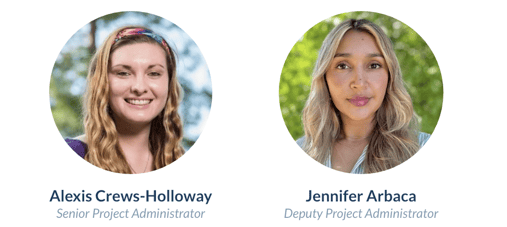
Santa Cruz Admins- CrewsHolloway-Arbaca

Phone: 415-429-1400

Email: marin@bitfocus.com